
 Player Profiles are coming next week in the Emerald Bear (1.2.0) PC update. They can be accessed by clicking on your own portrait at the top of the screen in the main menu, or by clicking the portrai of another player. You can also find it by clicking the “...” next to the name of a player in several different menus.Player Profiles will contain information about ranked match rating, rank (a.k.a. rank level for those familiar with the web leaderboards), and some statistics about matches.
Like our web leaderboards, elo (a rating system measuring sill level) is per faction per match size, meaning that you have a separate rating and rank for 4v4 American and 1v1 American. The reason for this is to encourage players to experiment with different factions and strategies without impacting their score for the others. We understand that you may have a favorite and don't want you to lose standing for switching it up once in a while!
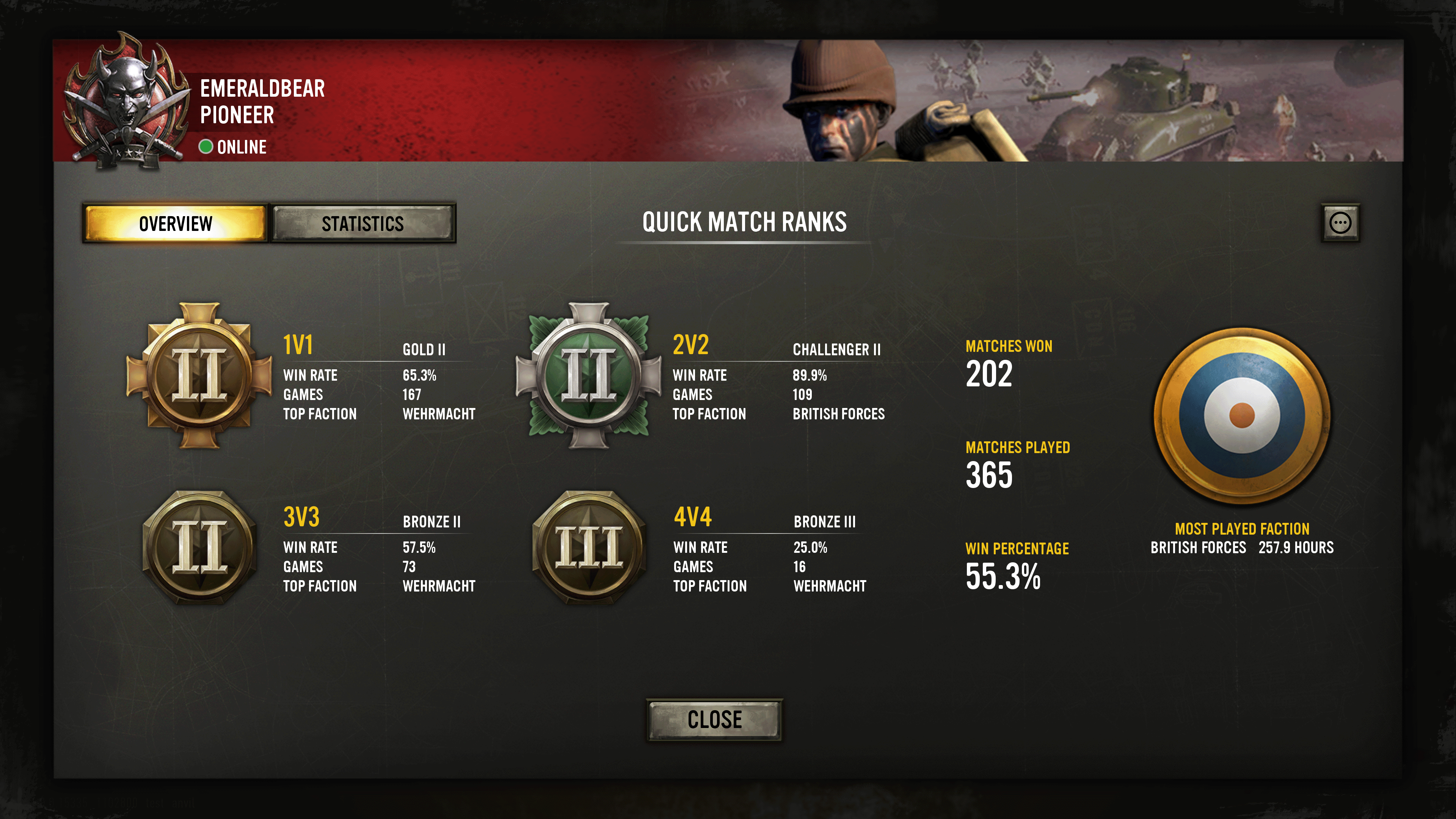 Overview of the Player Profile
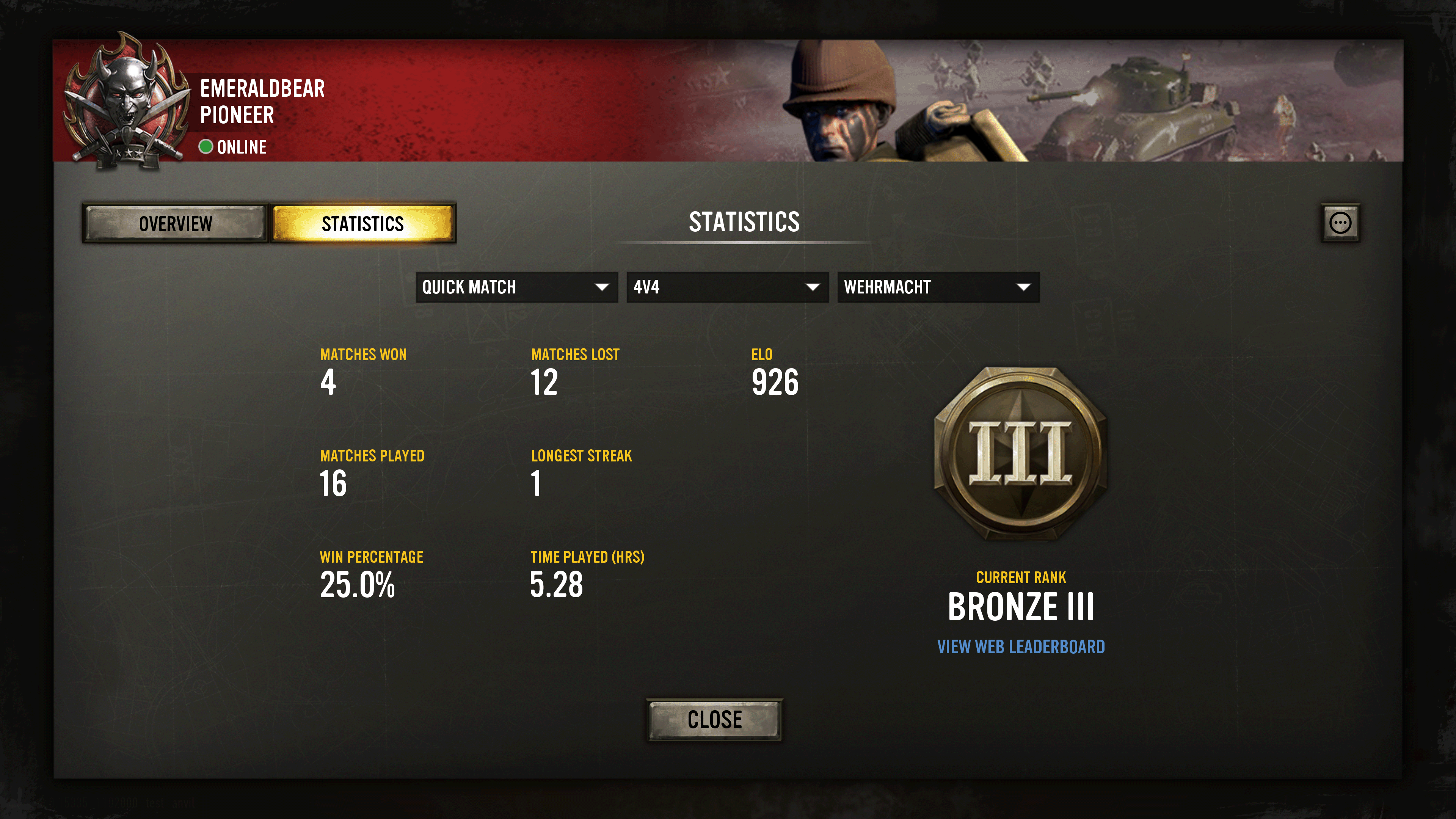 Example statistics from 4vs4 Quick Match
Your profile will also contain info about Co-op vs A.I. although this mode does not have a rating. You can still measure your wins and losses and track hours played per faction.
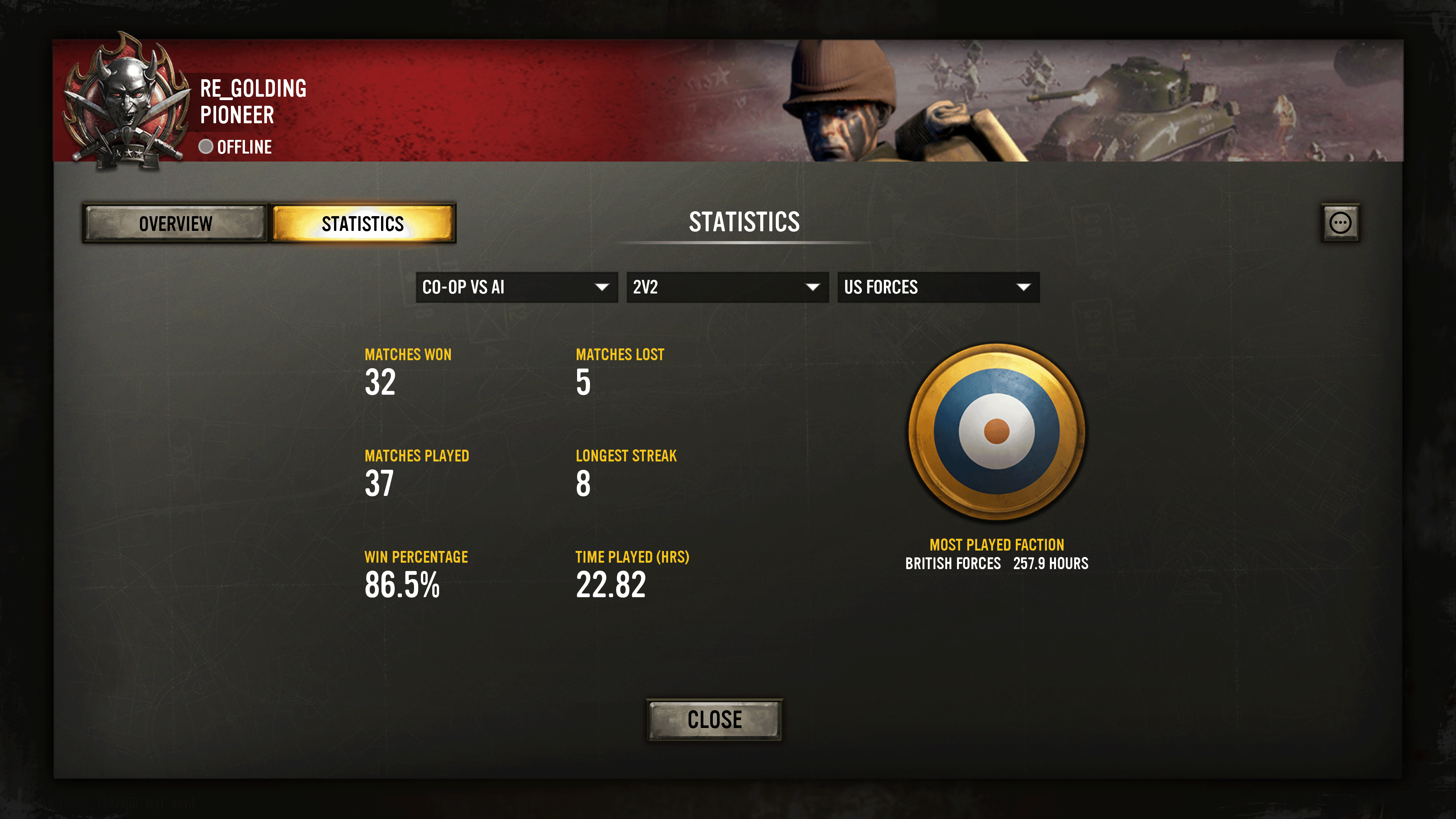 Example statistics from the Co-op vs A.I. selection
You can jump directly to the web leaderboards from the player profile, which we hope helps the visibility of our competitive community and also helps new players join in the competition.
Some additional changes coming along with Player Profiles include:
- Players now have ranking for their quick match elo rating (see below).
- Updated artwork for faction icons.
- Added elo rating, rating change, and rank icons to the post match stats screen. Only the current player's change will be shown, but all players' elo and rank is displayed.
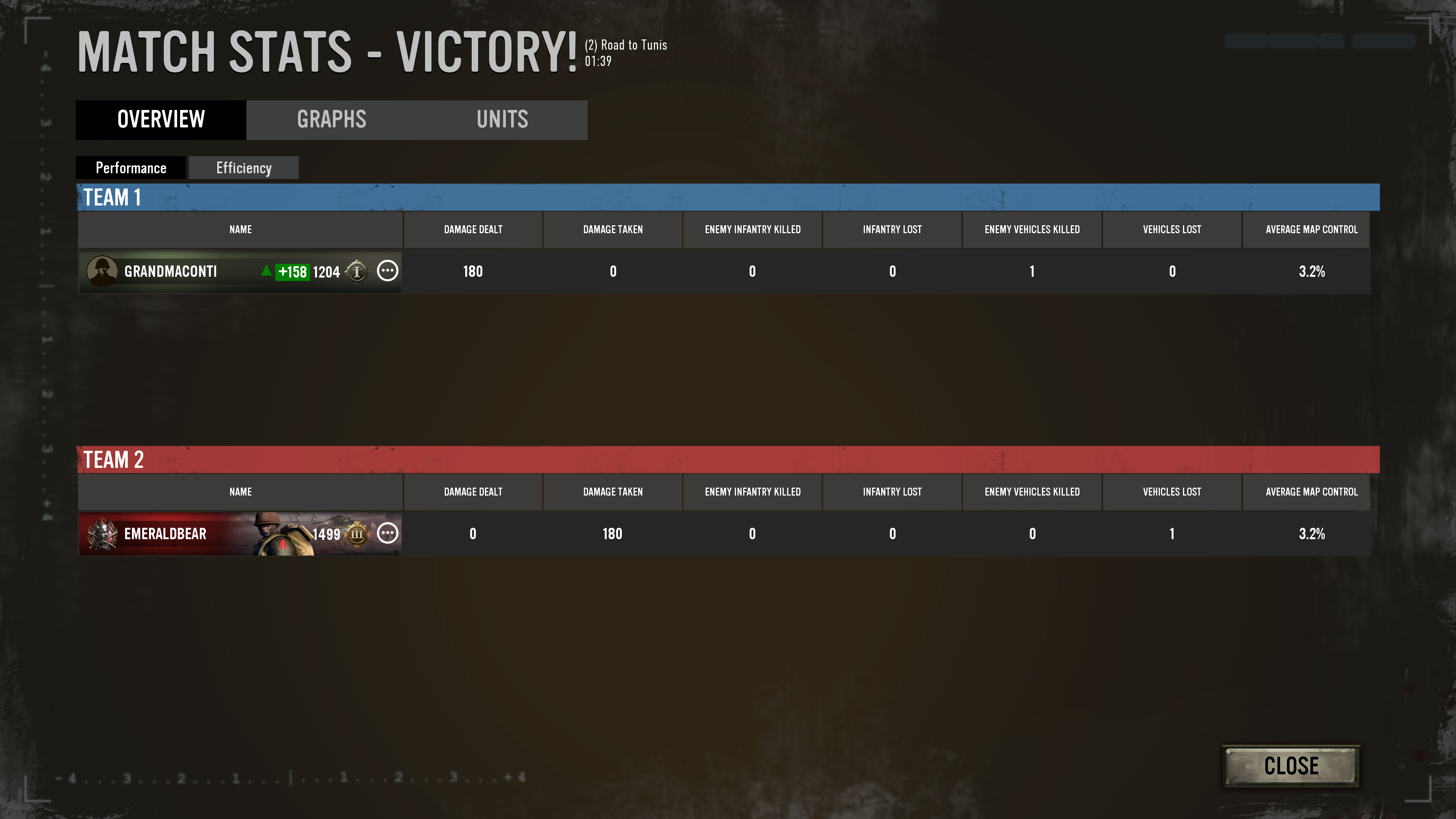 The updated Match Stats will show ELO loss and gain